
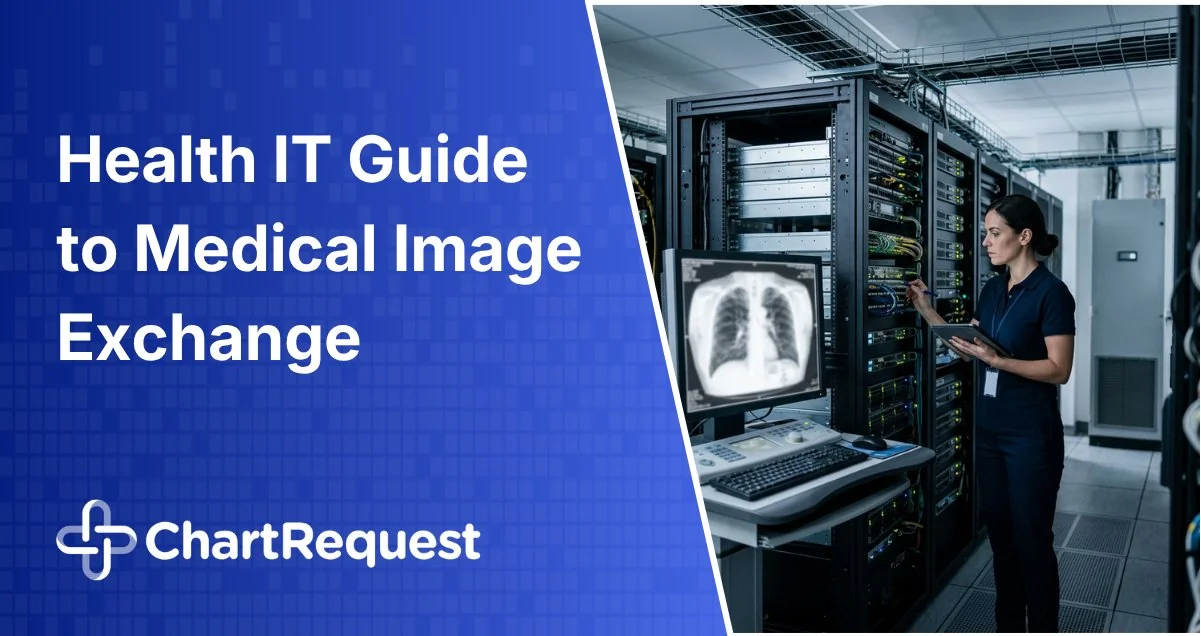


Medical image exchange workflows become an IT support problem when the process relies on CDs, manual PACS exports, disconnected portals, or recipients who cannot open the images they receive. The request may start with HIM, a patient, a referring provider, a law firm, or a payor, but the escalation often lands with IT when delivery breaks down.
Healthcare IT teams already support PACS, viewers, EHR interfaces, archives, identity controls, vendor reviews, and security programs. Image exchange gets harder when those systems are connected by manual work instead of a controlled delivery process.
That is the bar: image exchange should reduce tickets, protect electronic protected health information, confirm delivery, and create request-level evidence without forcing IT to reconstruct what happened later.
Table of contents
- Core Requirements for a Medical Image Exchange Workflow
- Why DICOM Support Must Include Viewer Access
- How Should PACS, VNA, Archive, and EHR Connectivity Work?
- What Must IT Approve Before Go-Live?
- What Security, Compliance, and Audit Controls Should Be Required for Medical Image Exchange Workflows?
- How Should Failure Modes and Support Ownership Work?
- How ChartRequest Supports More Controlled Image Exchange
- Frequently Asked Questions

Core Requirements for a Medical Image Exchange Workflow
Start with what the workflow will actually touch. A medical image exchange workflow must align with the organization’s systems, identity model, security requirements, support processes, and audit expectations.
Require clear answers to these questions:
- Does the process support DICOM without unnecessary conversions?
- Can authorized recipients view imaging without CDs or local software?
- How does the workflow connect with PACS, VNAs, archives, EHRs, and release of information systems?
- Where does PHI reside during retrieval, delivery, viewing, and retention?
- How are users authenticated, provisioned, deprovisioned, and assigned roles?
- What logs show retrieval, delivery, viewer access, corrections, resends, and administrative changes?
- Which routine issues does the vendor support, and which issues remain internal?
If those answers are vague, IT is inheriting ambiguity.
Why DICOM Support Must Include Viewer Access
DICOM is the international standard for transmitting, storing, retrieving, printing, processing, and displaying medical imaging information, according to the official DICOM standard. That matters because image exchange is not ordinary file sharing. It is the movement of clinical imaging data that must remain usable, intact, and tied to the right patient.
DICOM support is a baseline requirement for X-rays, MRIs, CT scans, ultrasounds, and other diagnostic imaging studies. If a process cannot handle DICOM appropriately, staff may fall back on manual exports, conversions, screenshots, CDs, DVDs, or PDF workarounds.
Those workarounds may move something, but they do not always preserve the complete study, metadata, or evidence trail. They also create support issues when recipients need proprietary software or another delivery method.
DICOM viewer access is what prevents delivery from turning into support work. If recipients still need local software, CDs, or help desk guidance to view what was sent, the imaging record release system remains an IT support issue.
How Should PACS, VNA, Archive, and EHR Connectivity Work?
PACS, VNAs, archives, and EHR systems manage imaging and patient information inside the organization. External delivery often exposes the gaps between them. PACS may support DICOM query and retrieve, while external exchange still depends on firewall changes, VPN access, manual exports, disc burning, portal uploads, or staff follow-up.
The goal is not to replace core imaging infrastructure. The goal is to connect those systems to a secure, request-driven delivery process that reduces routine handoffs.
Validate the connection model before implementation. The vendor needs to explain whether data is pushed, pulled, routed, uploaded, or accessed through a secure delivery layer. IT also needs to know whether the process relies on traditional DICOM, DICOMweb, HL7, FHIR, APIs, flat files, secure cloud routing, or a combination.
That distinction affects network review, monitoring, PHI location, support ownership, and failure handling. Confirm what systems are touched, how long data is retained, who monitors failed connections, and what happens when a study cannot be retrieved or delivered.
Connectivity also affects record completeness. HHS explains that individuals generally have a right to inspect or obtain PHI in a designated record set, including medical records, billing records, X-rays, and other records used to make decisions about individuals.
What Must IT Approve Before Go-Live?
Before go-live, IT needs the implementation footprint in plain terms. The approval path should cover systems touched, data flow, identity model, network impact, training plan, support ownership, and security review documentation.
Confirm whether the firewall, VPN, allowlisting, segmentation, or cloud security groups need changes. Identify where DICOM files, metadata, and related PHI live during retrieval and delivery. Map how users are authenticated, trained, provisioned, deprovisioned, and reassigned when roles change.
Also confirm what documentation supports InfoSec, BAA, SOC 2, procurement, and compliance review.
What Security, Compliance, and Audit Controls Should Be Required for Medical Image Exchange Workflows?
Because medical image exchange involves ePHI, security controls cannot sit behind vague claims about “secure delivery.” The HIPAA Security Rule technical safeguards include access control, unique user identification, audit controls, integrity protections, person or entity authentication, and transmission security under 45 CFR § 164.312.
For secure medical image exchange, the practical question is whether those controls work at the request level. Access logs need to show who touched the request, what changed, what was delivered, who accessed it, and whether that history can be reviewed without custom IT work.
Security review should also cover MFA, SSO, role-based access, encryption in transit and at rest, vulnerability monitoring, penetration testing, compliance training, and escalation ownership. Trend Micro’s 2026 research on exposed DICOM servers shows why DICOM connectivity, TLS, AE Title validation, segmentation, and monitoring belong in security review rather than implementation footnotes.
Audit evidence needs to answer real questions. A generic status label does not prove whether the correct study was retrieved, whether the recipient accessed it, whether a resend occurred, or whether a permission change affected delivery.
How Should Failure Modes and Support Ownership Work?
Healthcare IT leaders trust vendors that can explain what happens when the process does not go perfectly.
Common failure points include incomplete studies, wrong date ranges, failed PACS or archive connections, viewer access issues, authorization blocks, resend requests, role changes, and disputed deliveries. Those issues need to be detected, documented, routed, and resolved without turning every routine question into an IT ticket.
The answer cannot be “open a ticket with IT” for every issue. IT needs to know which issues the vendor supports, which issues remain internal, how escalations are routed, what HIM can see before contacting IT, and what evidence is created while the issue is resolved.
That support model should be visible before go-live. A mature vendor can explain urgent support paths, account management, escalation matrices, service metrics, training responsibilities, and handoffs between operational, technical, and compliance teams.

How ChartRequest Supports More Controlled Image Exchange
We treat image exchange as part of release of information operations, not a one-off file transfer. Our release of information software helps organizations manage medical, imaging, and billing records through a secure request process with status visibility, role-based access, delivery documentation, and audit-ready activity history.
We maintain full adherence to HIPAA, HITECH, and applicable state statutes and regulations. Our platform is built around secure, cloud-based ROI management, encrypted data storage and transmission, MFA, strict access controls, request tracking, automated audit trails, request validation and prioritization, API-based connectivity, and integrations with multiple EMR environments. Security and procurement teams can also review our SOC 2 certified platform materials as part of vendor evaluation.
Schedule a workflow review to identify where image exchange is turning into IT tickets, manual follow-up, unclear ownership, or weak audit evidence, and see how we can help centralize medical, billing, and imaging release with clearer status visibility, support accountability, and audit-ready delivery evidence.
Frequently Asked Questions
What Is a Medical Image Exchange Workflow?
A medical image exchange workflow used to retrieve, secure, deliver, view, and document imaging studies for authorized recipients. A strong workflow supports DICOM, connects with imaging systems, controls access, defines support ownership, and creates audit evidence.
What Should IT Approve Before Go-Live?
IT should approve the systems touched, data flow, identity model, security requirements, network changes, log access, vendor documentation, implementation plan, support model, and escalation path. If those details are unclear, the organization may be approving a process that creates new support burden after rollout.
What Should Healthcare IT Teams Ask Vendors Before Selecting a Medical Image Exchange Workflow?
Ask how the process handles DICOM, viewer access, PACS connectivity, data flow, identity management, MFA, SSO, log retention, log export, encryption, BAA requirements, vendor security review, failure handling, implementation support, and escalation ownership. Strong answers should be specific to the organization’s environment.
Why Does DICOM Viewer Access Matter in Medical Image Exchange?
DICOM viewer access matters because delivery is not complete if the recipient cannot open or use the imaging. A medical image exchange workflow should let authorized recipients view studies without CDs, local software, or help desk guidance. That reduces failed access, resend requests, and avoidable IT escalation.
How Can Medical Image Exchange Reduce IT Support Burden?
Medical image exchange reduces IT support burden when the process defines system connections, access controls, delivery status, support ownership, and failure handling before go-live. Healthcare IT teams should not have to troubleshoot every missing study, unreadable file, resend request, or recipient access issue. A stronger workflow gives HIM, support, and compliance teams the visibility they need before routine issues become IT tickets.